
Importing KiCad and EasyEDA Pro
(Ctrl+I), or Import in the toolbar, reads a schematic from another tool and opens it as a new circuit in its own tab.
| Tool | Files |
|---|---|
| KiCad 6 to 10 | .kicad_sch, .kicad_pro, or a .zip of the project |
| EasyEDA Pro | .epro, .epro2, or a local .eprj |
| LTspice | .asc |
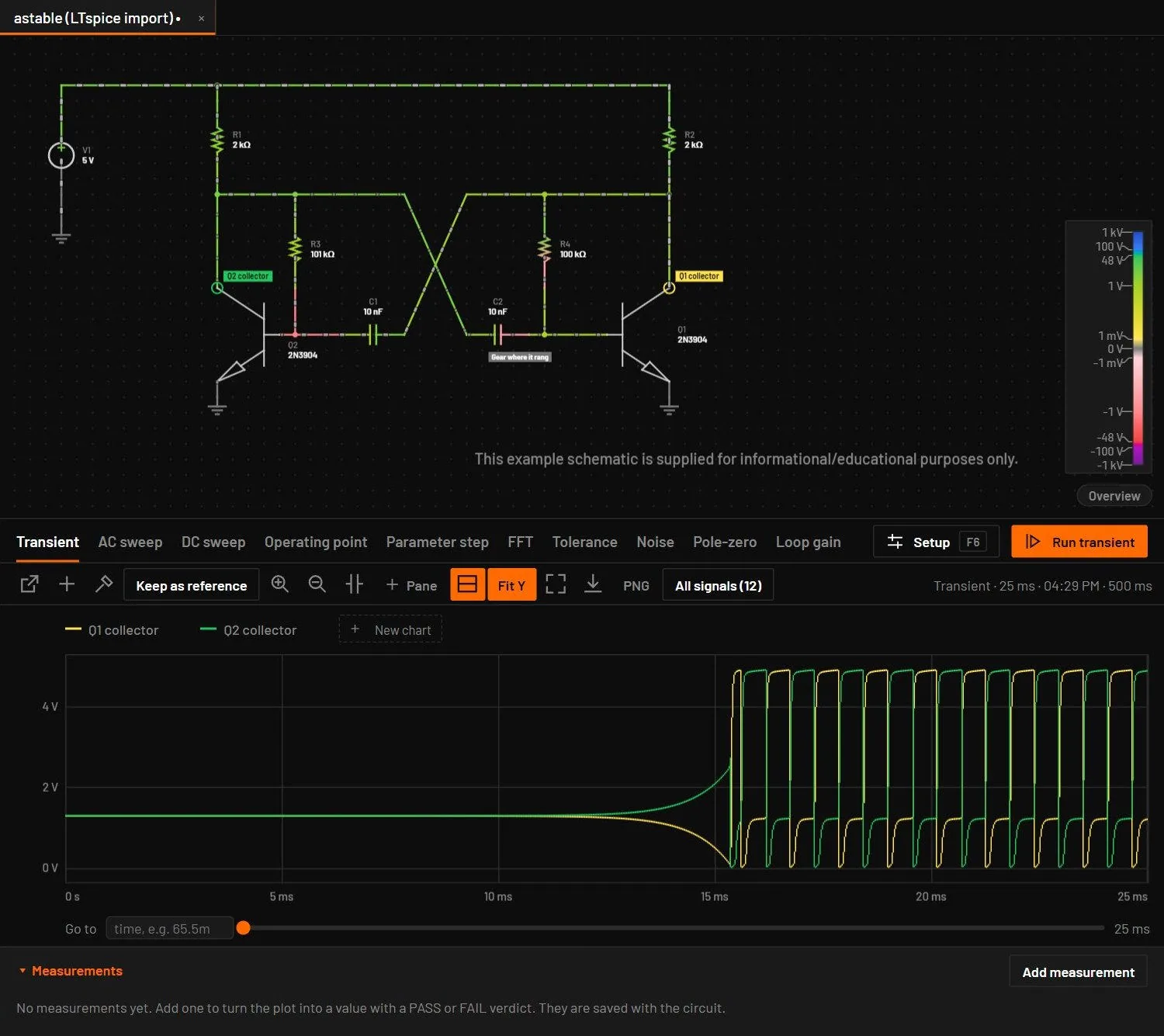
An LTspice schematic comes in with its parts, wiring, symbols and SPICE models. Each part gets the model LTspice itself would use: the .model lines on the schematic, the files it includes and LTspice's standard libraries. Symbols come from the .asy files next to the schematic, or from an installed LTspice. A value such as 200 is 200 ohm, as in LTspice. LTspice hierarchical blocks and digital gates come in as boxes.
.zip. A .kicad_sch or .kicad_pro chosen on its own cannot bring its sub-sheet files with it. LTspice models are also in the library.49.1What the importer does
- Reads every symbol, wire, label, power flag, junction and sheet.
- Matches each symbol to a BetterSPICE device by its library name, value and reference, with a rule for each kind of part: resistors, capacitors, inductors, diodes, transistors, op-amps, regulators, connectors and more.
- Maps the symbol's pins to the device's pins and checks that every net still has the same pins as in the source.
- Keeps parts it can't match as boxes with their pins, so the drawing is complete.
- Adds a DC source for each supply rail named like a voltage (for example
+3V3) that nothing drives, so the board can run. - Where a part names a vendor model in the project, keeps it for Simulate and fits the live model from the catalogue model of the same name.
A bare resistor value from KiCad or EasyEDA, such as 500, is 500 Ω. The three-digit marking code (104 = 100 nF) is read on capacitors only. An .epro that holds an entry over 256 MB is refused at once with a short message, before anything is unpacked.
49.2The Import report
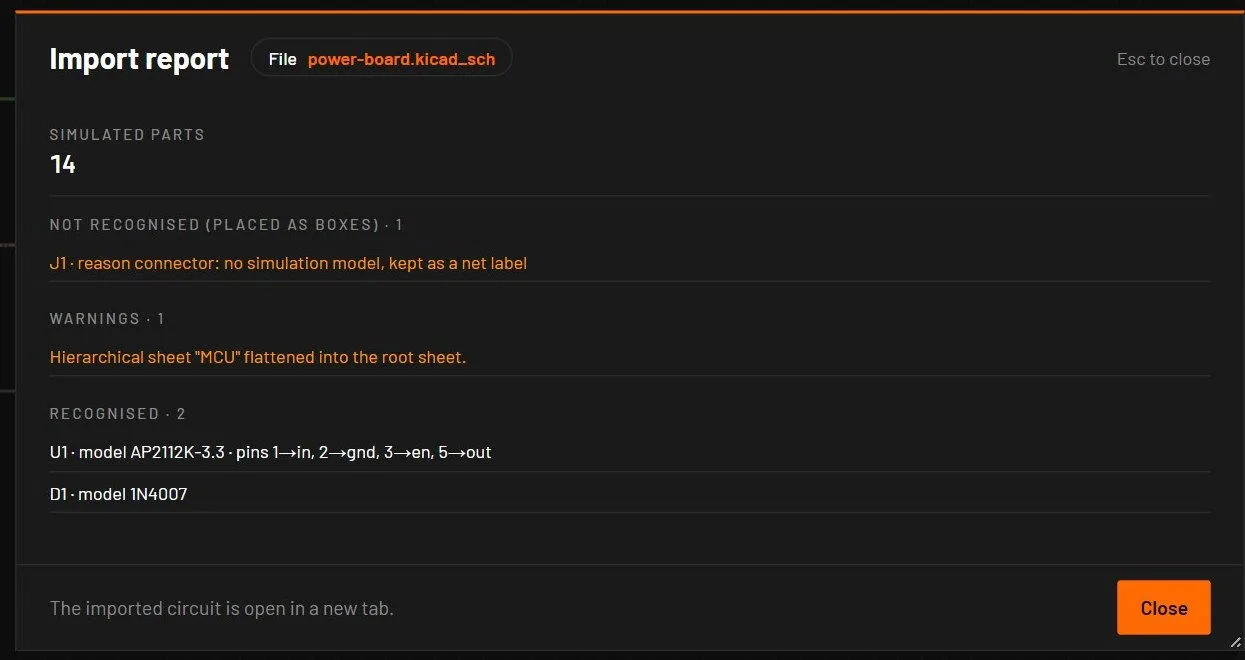
While the importer runs, a message says "Importing <file>…", and a second import waits for it. The report opens after the import. It has a summary sentence, number tiles and sections. Rows that name a part are links: a click selects the part, zooms to it (no further than a fit, 1.3×) and closes the report. Parts that were not recognised have an Assign model… button. reopens the report of an imported tab.
| Item | Meaning |
|---|---|
| Format, Grid in mm | The source tool and its grid. |
| Components, Recognised, Not recognised, Skipped | How many symbols, how many became simulated devices, how many stayed boxes, and how many have no electrical meaning (logos, mounting holes). |
| Recognised share | Recognised as a percentage of the parts that could be. |
| Nets in the source / in the circuit, Pins checked | The net check: every net must keep the same pins. |
| Joined with ~ labels, Nets merged | Nets joined by name, as the source tool did. |
| Not recognised (placed as boxes) | Shown first. Each part with its symbol and the reason. |
| Errors | Shown first, red: problems that stopped part of the import, counted in the summary line, such as "0 warnings, 1 error". |
| Warnings | Amber: importer diagnostics with their codes and fixes, and I_MODEL_FIT where live values came from a catalogue model. |
| Recognised | Each part: reference, symbol → device type and variant, value, model, confidence, pin map and the rule that matched it. |
| Skipped, Added supplies, Sheets | What was left out, which sources were added, and the sheet structure. |
W_NO_SOURCE and the message "No supply in the imported circuit: add a DC source." Assign models to the ICs that matter and add a source.- Zip the KiCad project folder.
- Press Ctrl+I and choose the zip.
- Read the Not recognised section. Assign a model to each IC that matters (Ctrl+M).
- Add a DC source if the report didn't add one, and press Ctrl+R.
You should seeThe board runs. Hover any net to read its voltage, and probe the rails to check them.
Command line: bspice import board.kicad_sch --out board.bsc --report report.json, with --flat for one flat sheet and --no-supplies to add no sources (The command line (bspice)).